
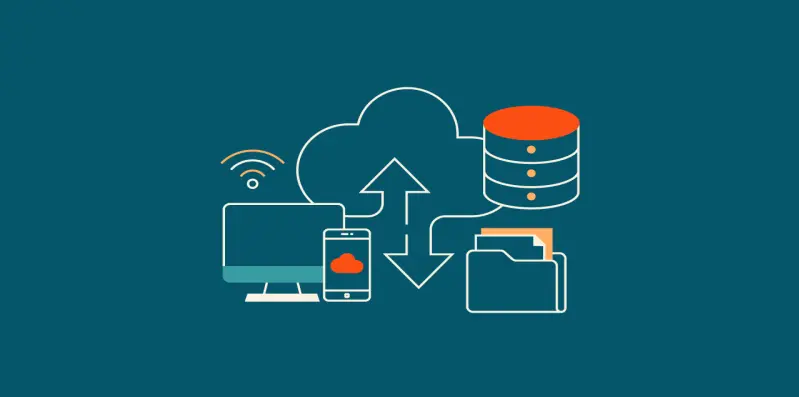
In the vast landscape of digital living, safeguarding your precious data is paramount. Let’s start with the basics: What is a data backup?
Understanding Data Backup
At its core, data backup refers to the process of creating a duplicate copy or copies of your important digital files, ensuring that if the original files are lost, damaged, or compromised, you have a secure and retrievable copy. This practice acts as a safety net, offering protection against the unforeseen mishaps that can occur in the digital realm. A data backup is like a safety net for your digital life.
Why It Matters
Imagine losing cherished photos, crucial work documents, or important files due to a computer glitch, virus, or hardware failure. That’s where regular data backups come to the rescue.
- Protection Against Loss: Imagine losing irreplaceable family photos, crucial work documents, or important files due to a computer crash, accidental deletion, or a malicious software attack. Regular data backups act as a shield against such losses.
- Peace of Mind: Knowing that your valuable digital assets are safely backed up provides a sense of security. Whether it’s sentimental photos or critical business files, you can navigate the digital landscape with confidence.
- Quick Recovery: In the unfortunate event of data loss, having a backup ensures a swift recovery. Instead of starting from scratch, you can restore your files and get back to normalcy with minimal disruption.
The Importance
- Protect Against Loss: Safeguard your data from unforeseen disasters.
- Peace of Mind: Ensure a safety net for your memories and important documents.
- Quick Recovery: Bounce back swiftly after a mishap.
How to Back Up Your Data
- External Drives: Invest in an external hard drive and copy your files regularly.
- Cloud Services: Explore cloud platforms like Google Drive, Dropbox, or iCloud for convenient and secure storage.
- Automated Software: Use backup software that automates the process, taking the hassle out of manual backups.
Easy Steps to Back Up
- Choose Your Storage: Pick a reliable external drive or a secure cloud service.
- Select Your Files: Identify the files and folders you want to back up.
- Set a Schedule: Establish a routine – whether daily, weekly, or monthly – to keep your backups current.
1. Full Backup:
- Description: This method copies all selected data in its entirety.
- Advantages: Provides a complete and independent copy of all data.
- Considerations: Consumes more storage space and time.
2. Incremental Backup:
- Description: Only backs up data that has changed since the last backup.
- Advantages: Faster and requires less storage space.
- Considerations: Full recovery may involve multiple backup sets.
3. Differential Backup:
- Description: Backs up data that has changed since the last full backup.
- Advantages: Faster than a full backup, simpler recovery process.
- Considerations: Requires more storage space than incremental backup.
4. Mirror Backup:
- Description: Creates an exact copy of selected data in real-time.
- Advantages: Immediate and straightforward access to mirrored data.
- Considerations: Consumes significant storage space.
5. Cloud Backup:
- Description: Backs up data to remote servers via the internet.
- Advantages: Off-site storage, accessibility from anywhere.
- Considerations: Dependence on internet speed, potential subscription costs.
6. Local Backup:
- Description: Backs up data to a local storage device like an external hard drive.
- Advantages: Quick access, no reliance on internet speed.
- Considerations: Vulnerable to local disasters (e.g., fire, theft).
7. Off-site Backup:
- Description: Stores backups in a geographically separate location.
- Advantages: Protection against local disasters, enhanced security.
- Considerations: May involve additional costs, internet dependency for retrieval.
8. Hybrid Backup:
- Description: Combines on-site and off-site backup methods for comprehensive protection.
- Advantages: Balances speed and security, redundancy.
- Considerations: Requires careful management for optimal efficiency.
Selecting the appropriate data backup type depends on factors such as the volume of data, recovery speed requirements, and the level of protection desired. A well-thought-out backup strategy often involves a combination of these methods to ensure comprehensive data protection.
Conclusion: Embrace the habit of regular data backups; it’s your shield against digital heartbreaks. Whether you’re a tech novice or a seasoned user, the simplicity of data backups ensures that your digital world remains intact, secure, and ready to withstand the unexpected. Your memories and important files deserve nothing less.